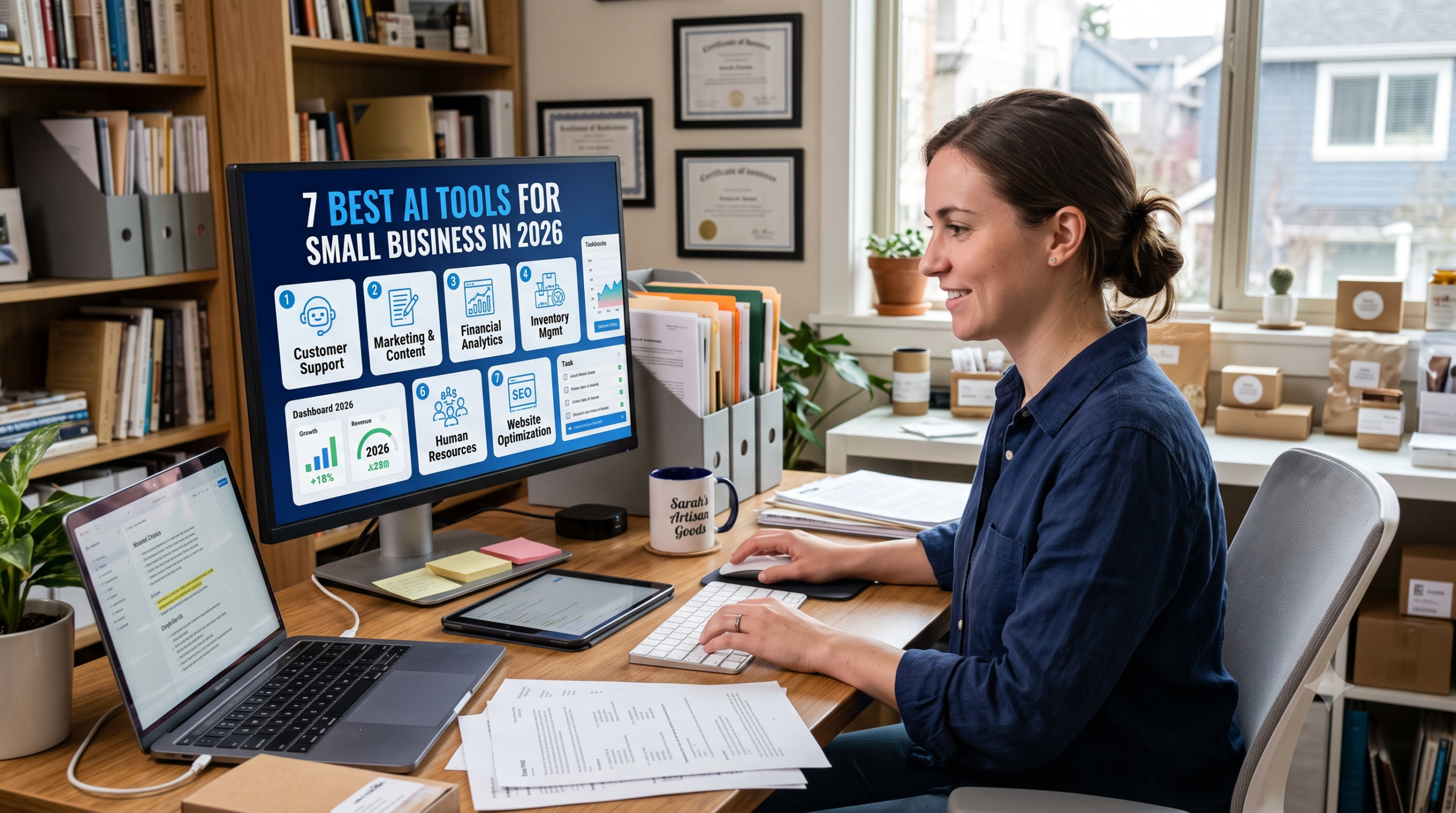
You run a small business. You wear every hat. And right now, you’re probably staring at a to do list that keeps growing faster than your revenue. You came here for one thing: a clear, honest list of AI tools that will actually save you time and money in 2026 not hype not fluff just what works.
By the end of this guide, you’ll know exactly which tools to start with, what each one costs, and the order to adopt them so you don’t waste cash on subscriptions you’ll abandon in a month. The one thing that confuses most small business owners isn’t finding AI tools it’s figuring out which ones fit a lean budget and a team of one to five people. That’s exactly what we’ll clear up.
This site focuses on practical AI for builders, solopreneurs, and small teams who need tools that pay for themselves within 30 days. If you’re tired of “top 50” lists that include enterprise software you’ll never use, you’re in the right place.
What Is “Best AI Tools for Small Business” and Why It Matters Right Now
When people search for the “best AI tools for small business,” they’re not looking for a generic encyclopedia entry. They want tools that solve specific, daily problems: writing emails faster, designing social posts without a designer, automating follow ups or keeping books straight without hiring a full time accountant.
In plain language, the best AI tools for small business are software platforms that use artificial intelligence to handle repetitive, time consuming tasks at a price point that makes sense for teams with fewer than 10 people. These aren’t the flashy, multi thousand dollar enterprise suites. They’re the $10 to $50 per month tools that quietly give you back 5 to 10 hours a week.
Why does this matter in 2026 specifically? Because AI adoption among small businesses has finally crossed a tipping point. According to JPMorgan Chase Institute research published in April 2026, about 17.7 percent of small businesses were using AI by the end of 2025 a sharp acceleration from just a few years prior. That means your competitors are already using these tools to move faster and charge less while maintaining margins.
Here’s something most guides skip: the real advantage isn’t using AI it’s using the right combination of tools that talk to each other. A writing tool alone helps. A writing tool that feeds into your CRM which triggers an automation that sends a follow up email? That’s where the time savings compound.
We’ll get to the exact tool stack that works best for different business types in a moment. But first, let’s be clear about who this guide is actually for.
Who This Is For and Who Should Skip It
This article is written for small business owners, solopreneurs and teams of 1 to 10 people who need practical, affordable AI tools that deliver ROI within the first month. You might be a consultant, an e-commerce store owner, a local service provider, a content creator or a SaaS founder running lean.
Who benefits most:
- Solopreneurs and one person businesses who need to multiply their output without hiring. You’ll get the most value from general-purpose AI assistants like ChatGPT or Claude, plus one or two specialized tools for your core function.
- Small marketing or creative agencies (2–5 people) that produce content, designs, or campaigns for clients. Tools like Canva Pro, Jasper, or HubSpot’s AI features will directly reduce production time per project.
- Local service businesses (contractors, salons, clinics) that need simple automation for booking, reminders, and customer follow-ups. A tool like Calendly with AI scheduling or HubSpot’s free CRM can handle this without a steep learning curve.
- E-commerce store owners managing product listings, customer support, and ads. AI tools for copywriting, image generation and chatbots (like Tidio or QuickBooks with Intuit Assist) are built for this exact workflow.
Who should skip this guide:
- Enterprise teams with dedicated IT departments and budgets over $1,000 per month per seat. You need a different conversation about custom AI deployments and API integrations.
- Businesses with zero digital presence. If you don’t have a website, email list, or social media accounts, start there first. AI tools amplify existing workflows they don’t replace the need for a basic digital foundation.
- Anyone expecting “set it and forget it.” AI tools require setup, testing, and occasional tweaking. If you’re not willing to spend a few hours learning the basics, you’ll end up frustrated and canceling subscriptions.
The single most important requirement? You need at least one repetitive task that eats up 2+ hours per week. That’s your entry point. Without that, you’re just collecting subscriptions.
If you’re a small business owner in India, the USA, or Canada looking to cut busywork and scale without hiring, this article is written for you.
How It Actually Works Complete Process
Choosing and implementing AI tools for your small business isn’t about signing up for the first thing you see on a “top 10” list. It’s a deliberate process that starts with identifying your biggest time drain and ends with a small, integrated stack that runs smoothly. Here’s the exact step by step process most successful small businesses follow.
Step 1: Audit your weekly tasks and identify the biggest time sink.
Sit down with your calendar or task list from the past two weeks. Write out everything you did, then highlight the tasks that are repetitive, rule based and don’t require deep creative thinking. Common examples: responding to similar customer inquiries, writing social media captions, creating invoices, scheduling appointments or resizing images for different platforms. When you actually do this, you’ll often find one task that alone consumes 5 to 10 hours a week that’s your target.
Step 2: Match the task to a tool category.
Once you’ve identified the bottleneck, map it to a tool type. Writing and research? Look at ChatGPT, Claude or Perplexity. Design and visuals? Canva Pro is the go to for non designers. Customer relationship management and sales follow ups? HubSpot’s free CRM with Breeze AI or a budget option like Freshsales. Automation between apps? Zapier or Make. Bookkeeping? QuickBooks with Intuit Assist.

Step 3: Start with one tool and test it for 14 days.
Don’t sign up for five tools at once. Pick the one that addresses your biggest pain point and commit to using it daily for two weeks. Most tools offer a free tier or a 7 to 14 day trial use it. During this period, track how much time you save. If a tool saves you 3 hours in two weeks but costs $20/month, that’s already a win.
Step 4: Integrate with your existing workflow.
This is where most guides stop, but it’s the most important step. A tool only works if it fits into how you already operate. For example, if you choose ChatGPT for writing, set up saved prompts for your most common email types. If you choose Canva, create brand templates so every new design stays on brand without starting from scratch. When you actually try this you’ll find that integration matters more than features.
Step 5: Add a second tool only after the first one is habitual.
Once the first tool feels natural (usually after 30 days), identify the next bottleneck and repeat the process. The goal is a small, cohesive stack typically 3 to 5 tools that cover your core functions: writing, design, CRM, automation and finance.
What most guides get wrong: They recommend tools without telling you the order to adopt them. The truth is, starting with a general purpose AI assistant like ChatGPT or Claude gives you the most flexibility for the lowest cost. From there, you layer in specialized tools based on your specific business type.
Timelines: Expect 1 to 2 weeks for initial setup and learning, 30 days to see consistent time savings and 60 to 90 days to build a fully integrated stack. Rushing this process leads to subscription fatigue and unused tools.
Comparison Table AI Tool Options Side by Side
| Tool | Key Feature | Best For | Limitation | Verdict |
|---|---|---|---|---|
| ChatGPT Plus ($20/mo) | General purpose AI for writing, research, ideation | Solopreneurs and teams needing flexible help across all tasks | Can hallucinate facts; requires fact checking for critical info | Best first tool for most small businesses |
| Canva Pro ($18/mo or $144/yr) | AI powered design with Magic Studio, brand kits, 100M+ assets | Non designers creating social posts, ads, presentations | AI credit limits on lower tiers; advanced features need Business plan | Best design tool for small teams |
| HubSpot Free CRM + Breeze AI | Free CRM with AI drafting, lead scoring, and outcome based agents | Service businesses and agencies managing leads and customer follow ups | Advanced AI agents (Customer Agent, Prospecting Agent) cost extra per outcome | Best free CRM with AI for small business |
| Claude Pro ($20/mo or $200/yr) | Long-context analysis, document summarization, coding help | Content heavy businesses analyzing reports, contracts or long form writing | Slightly less versatile than ChatGPT for general tasks | Best for long document work |
| Zapier (Free–$19.99/mo) | Automation between 5,000+ apps with AI powered Zaps | Businesses using multiple tools that need to talk to each other | AI steps cost more tasks; free tier limited to 2step Zaps | Best automation glue for small stacks |
| Jasper ($39–$69/mo) | Brand-voice AI copywriting for marketing at scale | High-volume content teams producing ads, emails, blogs | Expensive for very small teams; overkill if you only need occasional copy | Best for high volume marketing copy |
| QuickBooks + Intuit Assist ($19+/mo) | AI-powered bookkeeping, expense categorization, invoice reminders | Small businesses managing their own books without an accountant | Requires QuickBooks subscription; AI features limited to higher tiers | Best accounting AI for small business |
Which option suits which reader?
If you’re a solopreneur on a tight budget, start with ChatGPT’s free tier and Canva Free both are genuinely useful without paying anything. If you’re a service business managing clients, HubSpot’s free CRM is non-negotiable. If you’re producing content at scale (blogs, ads, emails), Jasper or a similar copywriting tool becomes worth the cost. The key is matching the tool to your primary bottleneck, not chasing the “best” tool overall.resources.
Real Benefits With Numbers and Specifics
Let’s talk about what actually changes when you adopt the right AI tools. This isn’t about vague promises of “increased productivity.” It’s about specific, measurable outcomes.
Time savings: Small business owners using AI tools report saving 5 to 10 hours per week on average. For a solopreneur billing $50/hour, that’s $250 to $500 in recovered value every week. A 2026 survey of small businesses using AI found that the most common benefit was reducing time spent on administrative tasks, with 72.5 percent of adopters using AI for just one function initially before expanding.
Cost reduction: Hiring a part-time virtual assistant costs $300 to $600 per month. A stack of ChatGPT Plus ($20), Canva Pro ($18), and Zapier Professional ($20) costs $58 per month and handles many of the same tasks writing, design and automation without the onboarding or management overhead.
Faster turnaround: With AI drafting, you can respond to customer inquiries in minutes instead of hours. HubSpot’s Breeze Customer Agent, for example, now charges $0.50 per resolved conversation, meaning you only pay when the AI actually solves the problem. For a business handling 100 support conversations a month, that’s $50 far less than hiring a part-time support rep.
One benefit most articles leave out: AI tools improve consistency. When you use saved prompts in ChatGPT or brand templates in Canva, every piece of output follows the same structure and tone. This matters for customer experience clients get the same quality whether you’re having a good day or a bad one.
What changes in your life: After 60 days of using AI tools deliberately, you’ll find yourself working fewer hours on busywork and more on revenue generating activities. You’ll stop dreading tasks like writing emails or creating social posts because they take 10 minutes instead of an hour. And you’ll have mental bandwidth to think about strategy instead of just execution.
Beginner Mistakes Most People Make and the Fix
Mistake 1: Signing up for too many tools at once.
This happens because “top 50” lists make it seem like you need a different tool for every function. The consequence is subscription fatigue you’re paying for 10 tools but only using 2. The fix: start with one general purpose AI assistant (ChatGPT or Claude) and one specialized tool for your core function. Add more only after the first two are habitual.
Mistake 2: Not setting up saved prompts or templates.
AI tools are only as good as the instructions you give them. Many beginners type a new prompt every time, which wastes time and produces inconsistent results. The fix: create a document with your top 10 most common tasks (e.g., “write a follow up email to a lead,” “create an Instagram caption for a product launch”) and save optimized prompts for each. Reuse them every time.
Mistake 3: Ignoring free tiers entirely.
Some guides act like free plans are useless. They’re not. ChatGPT’s free tier, Canva Free and HubSpot’s free CRM are all genuinely useful for small businesses just starting out. The fix: use free tiers for 30 days to validate that a tool fits your workflow before upgrading.resources.rework+2
Mistake 4: Expecting AI to work perfectly without fact-checking.
AI can hallucinate make up facts, dates, or quotes. If you publish AI generated content without reviewing it, you risk credibility. The fix: treat AI output as a first draft. Always verify statistics, names and claims before publishing or sending to clients.
Mistake 5: Not integrating tools with each other.
Using AI tools in isolation limits their value. For example, writing blog posts in ChatGPT but manually uploading them to WordPress wastes time. The fix: use Zapier or Make to connect your tools. Set up a Zap that takes a ChatGPT draft and creates a WordPress post automatically.
Mistake 6: Choosing tools based on features, not outcomes.
It’s easy to get seduced by long feature lists. But a tool with 100 features you don’t use is worse than a simple tool that solves your one biggest problem. The fix: before signing up, ask, “What specific outcome do I want from this tool?” If the answer isn’t clear, skip it.
Expert Tips That Actually Work
Tip 1: Use ChatGPT’s “custom instructions” to set your default tone.
In ChatGPT settings, you can add custom instructions that apply to every conversation. Tell it you’re a small business owner, you prefer concise answers and you want examples included. This saves you from repeating context every time.
Tip 2: Create a “swipe file” of your best AI outputs.
When ChatGPT or Claude generates something excellent a perfect email response, a great social caption save it in a document. Over time, you’ll build a library of proven prompts and outputs you can reuse or tweak. This compounds your efficiency.
Tip 3: Use Canva’s Brand Kit to lock in your visual identity.
Canva Pro lets you save your brand colors, fonts, and logo in a Brand Kit. Every new design automatically uses these, so you never accidentally create something off brand. This is critical for small businesses without a designer.
Tip 4: Set up Zapier “Zaps” for your top 3 repetitive workflows.
Identify three tasks you do weekly that involve moving data between apps (e.g., new lead in Facebook Ads → add to HubSpot CRM → send welcome email). Build a Zap for each. Even if it takes an hour to set up, you’ll save that time every week going forward.
Tip 5: Use Claude Pro for long documents, ChatGPT for everything else.
Claude handles long-context tasks better analyzing 50-page reports, summarizing meeting transcripts or reviewing contracts. ChatGPT is more versatile for general tasks. Use both strategically instead of paying for two general-purpose subscriptions.
Tip 6: Track your AI ROI monthly.
Once a month, write down how many hours each AI tool saved you and what that time is worth at your hourly rate. If a $20 tool saves you 5 hours at $50/hour, that’s $230 in value. This keeps you honest about which tools to keep and which to cancel.
Tip 7: Use HubSpot’s free CRM before paying for anything else.
Even if you don’t use the AI features, HubSpot’s free CRM is the best way to track leads, deals, and customer interactions. It integrates with almost every other tool on this list, making it the foundation of your stack.
Tip 8: Don’t upgrade to paid plans until you hit free tier limits.
Most AI tools have generous free tiers. ChatGPT Free, Canva Free and Zapier Free (100 tasks/month) are enough for many small businesses. Upgrade only when you consistently hit the limits.
Advanced Insights What Nobody Else Tells You

Insight 1: The real competitive advantage is your prompt library not the tool itself.
Two businesses can use the same ChatGPT subscription but the one with a well organized library of tested prompts will produce better output faster. Your prompts are your proprietary system they’re what make AI work for your business specifically. Most competitors won’t bother building this, which gives you an edge.
Insight 2: AI tools are becoming commoditized differentiation comes from integration.
In 2026, almost every tool has AI features. Canva has Magic Studio, HubSpot has Breeze, Zapier has AI steps. The differentiator isn’t which tool you use it’s how well you connect them. A business that integrates ChatGPT → HubSpot → Zapier → Gmail will outperform one using each tool in isolation.
Insight 3: Outcome based pricing (like HubSpot’s Breeze) favors businesses with clear processes.
HubSpot’s shift to charging per resolved conversation ($0.50) instead of per conversation means you only pay when the AI succeeds. This rewards businesses with well documented processes that AI can follow. If your workflows are chaotic, you’ll pay more. If they’re clear, you’ll pay less. This pricing model is spreading to other tools expect it to become standard.
Insight 4: The “best” tool changes every 6 to 12 months.
AI is moving fast. ChatGPT was the clear winner in 2023. By 2026, Claude Pro is competitive for certain tasks and new tools like Sintra AI or Marblism are emerging as all in one options. Don’t marry a tool. Re-evaluate your stack twice a year to ensure you’re still using the best option for each function.
Frequently Asked Questions
What are the best AI tools for small business in 2026?
The best AI tools for small business in 2026 depend on your primary need. For general writing and research, ChatGPT Plus ($20/mo) and Claude Pro ($20/mo) lead the pack. For design, Canva Pro ($18/mo) is the top choice for non designers. For CRM and sales, HubSpot’s free CRM with Breeze AI is the best starting point. For automation, Zapier Professional ($19.99/mo) connects everything. Start with one general purpose tool and one specialized tool for your core function.
Which AI tool is best for a one-person business?
For a one-person business, ChatGPT (free or $20/mo Plus) is the best first tool because it handles writing, research, ideation and basic analysis across all business functions. Pair it with Canva Free for design and HubSpot Free CRM for customer management. This three tool stack covers 80 percent of common small business needs at zero to $40 per month total.
How much does ChatGPT Team cost for small business?
As of 2026, ChatGPT Team pricing starts at approximately $25 to $30 per user per month on annual billing with a minimum of 2 users. This is higher than the $20/mo Pro plan and is designed for teams needing shared workspaces, admin controls and higher usage limits. For most small businesses with fewer than 5 people, individual Pro subscriptions are more cost effective than Team plans.
Canva Pro vs Free for small business marketing 2026: which should I choose?
Canva Pro ($18/mo or $144/year) is worth it for small businesses that create marketing materials regularly. It unlocks 10x the AI allowance of Free (2,000 Standard AI uses vs. 200), background removal, Magic Resize, brand kits and 100M+ premium assets. If you create more than 5 designs per month, Pro pays for itself in time saved. Start with Free, upgrade when you hit the limits.
What are the best free AI tools for small business with no budget?
The best free AI tools for small business in 2026 are ChatGPT Free (general writing and research), Canva Free (design with limited AI features), HubSpot Free CRM (customer management with basic AI), and Zapier Free (100 tasks/month for automation). Together, these cover writing, design, CRM and automation at zero cost. Upgrade only when you consistently hit free tier limits.resources.
How do I choose AI tools for a 5 person team?
For a 5-person team, start with individual ChatGPT Pro or Claude Pro subscriptions ($20/mo each) for flexibility. Add Canva Pro for the person handling design, HubSpot Free CRM for sales and Zapier Professional ($19.99/mo) for automation. Avoid Team plans unless you need shared workspaces or admin controls. Total cost: around $120 to $150 per month for the whole team, which is far less than hiring an additional employee.
Is Jasper AI worth it for small business in 2026?
Jasper AI ($39 to $69/mo) is worth it only if you produce high volumes of marketing copy blogs, ads, emails, product descriptions on a weekly basis. For small businesses creating content occasionally, ChatGPT Plus ($20/mo) or Claude Pro ($20/mo) can handle most copywriting tasks at half the cost. Jasper’s advantage is brand voice consistency and specialized templates which matter more for agencies than solopreneurs.
What AI tools do small businesses actually use in 2026?
According to 2026 industry surveys, the most commonly used AI tools among small businesses are ChatGPT for writing and research, Canva for design, HubSpot for CRM, QuickBooks for accounting and Zapier for automation. These five tools cover the core functions of most small businesses: content creation, visual design, customer management, finance and workflow automation. Adoption rates show 17.7 percent of small businesses were using AI by late 2025 with steady growth expected through 2026.
How long does it take to see ROI from AI tools?
Most small businesses see measurable ROI from AI tools within 30 to 60 days of consistent use. The key is starting with one tool that addresses your biggest time drain and using it daily. Track hours saved weekly. If a $20 tool saves you 5 hours at $50/hour, that’s $230 in monthly value. Expect 3 to 6 months to build a fully integrated stack that compounds time savings across multiple functions.
Quick Summary Take This Away
The best AI tools for small business in 2026 aren’t about chasing the newest, flashiest platform. They’re about building a small, integrated stack that solves your biggest time drains. Start with ChatGPT or Claude for general tasks, add Canva Pro for design and use HubSpot’s free CRM to manage customers. Layer in Zapier for automation once you’re comfortable.
The most common mistake is signing up for too many tools at once. Pick one, master it for 30 days, then add the next. Track your time savings monthly to ensure each tool pays for itself.
Your next step: audit your last two weeks of work, identify the single task that consumed the most time, and sign up for the one tool that solves it. Don’t overthink just start.
Conclusion
AI tools for small business in 2026 are no longer optional if you want to compete. The businesses winning right now aren’t the ones with the biggest budgets they’re the ones using AI strategically to move faster and work smarter.
Start with ChatGPT or Claude for writing and research. Add Canva Pro for design. Use HubSpot’s free CRM to track customers. Connect everything with Zapier. That’s your foundation.
You don’t need to be a tech expert. You just need to start with one tool, use it consistently and build from there. The tools are ready. The question is whether you’ll use them.